Company:
Neptune.ai
Year:
2024-2025
Overview
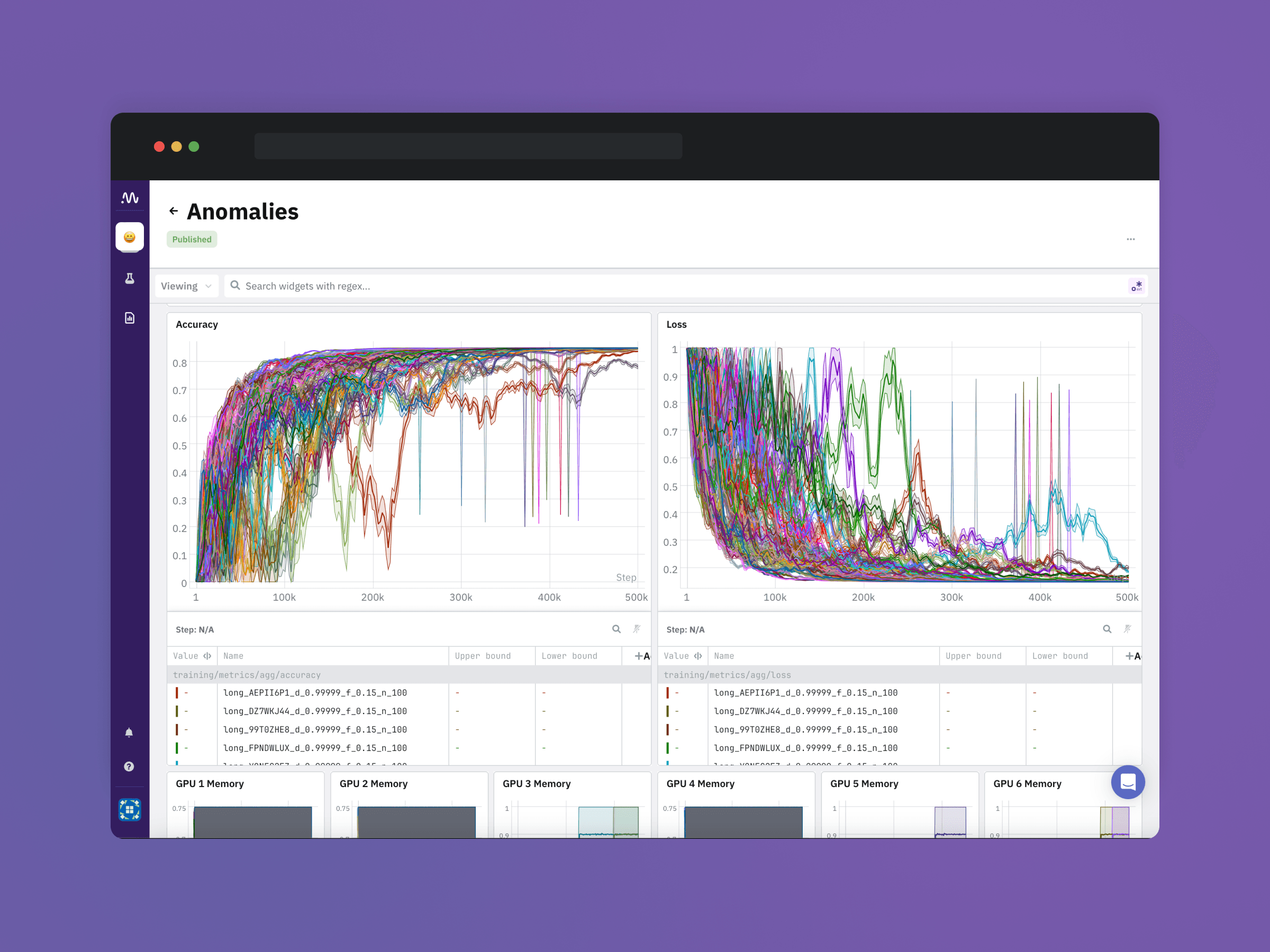
Redesigning Neptune.ai in six months to make complex AI workflows clear, usable, and fast — helping the team win over OpenAI and elevate the product experience.
Context & My role
I joined Neptune.ai as a Senior Product Designer at a pivotal moment. The company was six months away from finalizing a major one-year contract with OpenAI. To secure the deal, Neptune had to adapt the product to OpenAI’s highly specific workflows, and fast.
The product’s backend performance was exceptional, but the UX and UI significantly lagged behind competitors. Teams at OpenAI were tracking experiments in Neptune, but switching to Weights & Biases whenever they needed to share or present results. This was a major risk.
The design team had just three people; within weeks, it became two: our Head of Design and me.
Together, we were responsible for:
modernizing the core UX and UI
rebuilding the design system
validating solutions directly with OpenAI and other key customers
supporting engineers under an extremely compressed timeline

The challenge
The product experience had three critical issues:
High complexity, low clarity: the interface wasn’t designed for data-dense AI workflows.
Fragmentation: inconsistent UI patterns made experimentation and reporting slow.
Missing trust-building UX: OpenAI needed reliability, readability, and control, not visual chaos.
On top of that:
Most feature requests came from engineers as technical instructions, not problems to solve.
I was new to the ML research domain, so I had to learn fast while delivering improvements.
We had to meet the needs of very different personas: ML researchers, ML engineers, DS managers, and business stakeholders, each with different workflows and expectations.
Approach & Process
Understanding the users
I led a rapid product audit and, together with the Head of Design, defined four core personas and mapped their key flows:
ML Researchers (experiment comparison, metric analysis)
ML Engineers (system metrics, reproducibility)
Data Science Managers (monitoring progress, sharing results)
Business Stakeholders (reports, KPIs, clarity)
This allowed us to identify the high-traffic, high-impact areas to prioritize:
All Runs
Charts
Run Details
Side-by-side comparison
Dashboards & Reports
Establishing design leadership
We shifted from “design as UI output” to:
identifying real problems
crafting solutions backed by user feedback
designing scalable systems
validating directly with OpenAI and other strategic customers
Design system foundation
I co-built Neptune’s internal design system, which:
standardized interactions across dashboards, charts, and reports
enabled engineers to ship consistently
cut delivery time for new components and pages
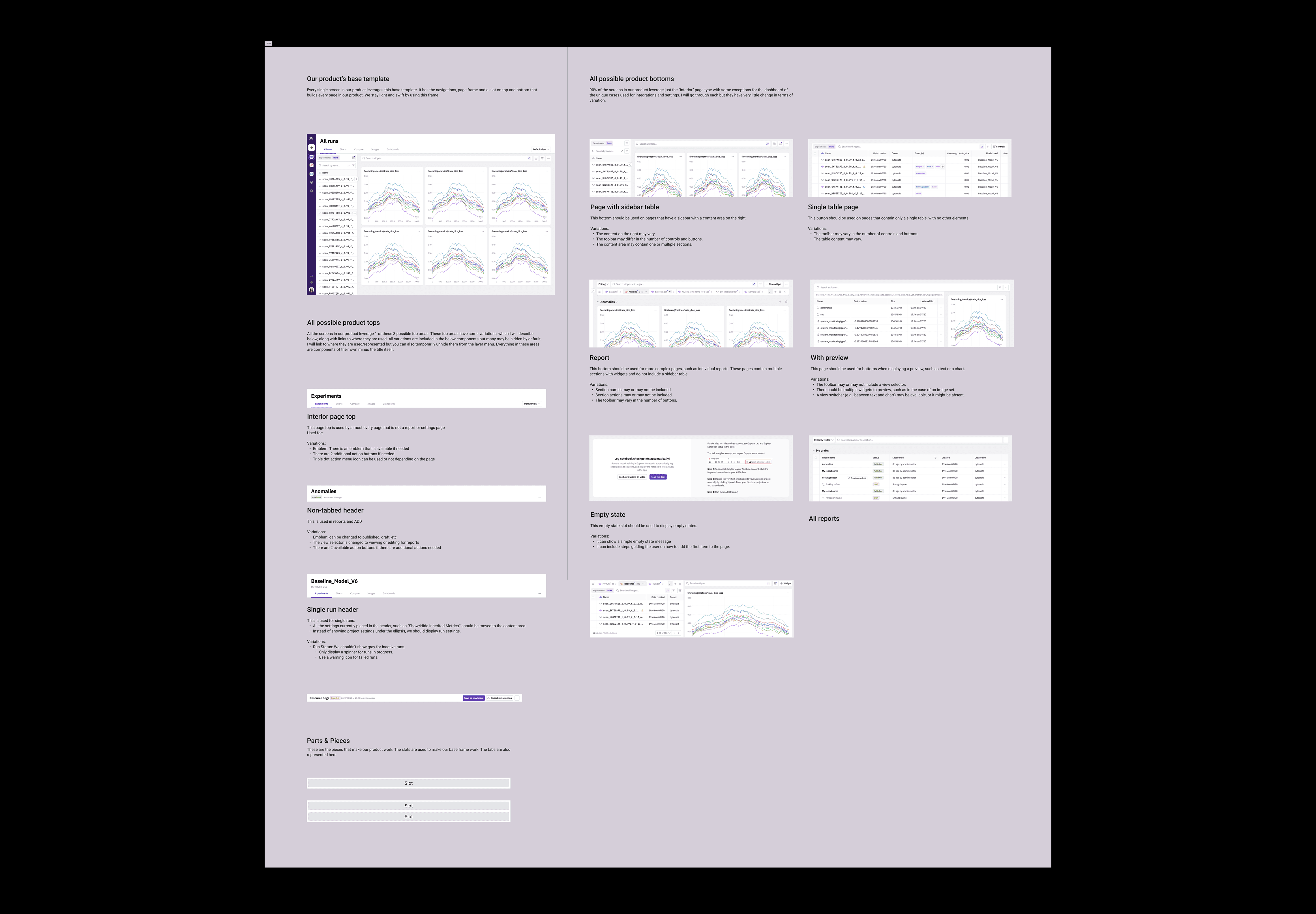
What I worked on
Below are highlights of my product thinking on some of the most impactful work.
Core product modernizations
Across six months I redesigned:
Charts (layout, global/local settings, pinned legend)
Dashboards (new components, empty states, export to image)
Reports (templates, navigation, modes, versioning, auto sections)
Single Run Page (metadata hierarchy, artifacts organization)
Side-by-Side comparison (clarity on differences, improved usability)
What I Delivered
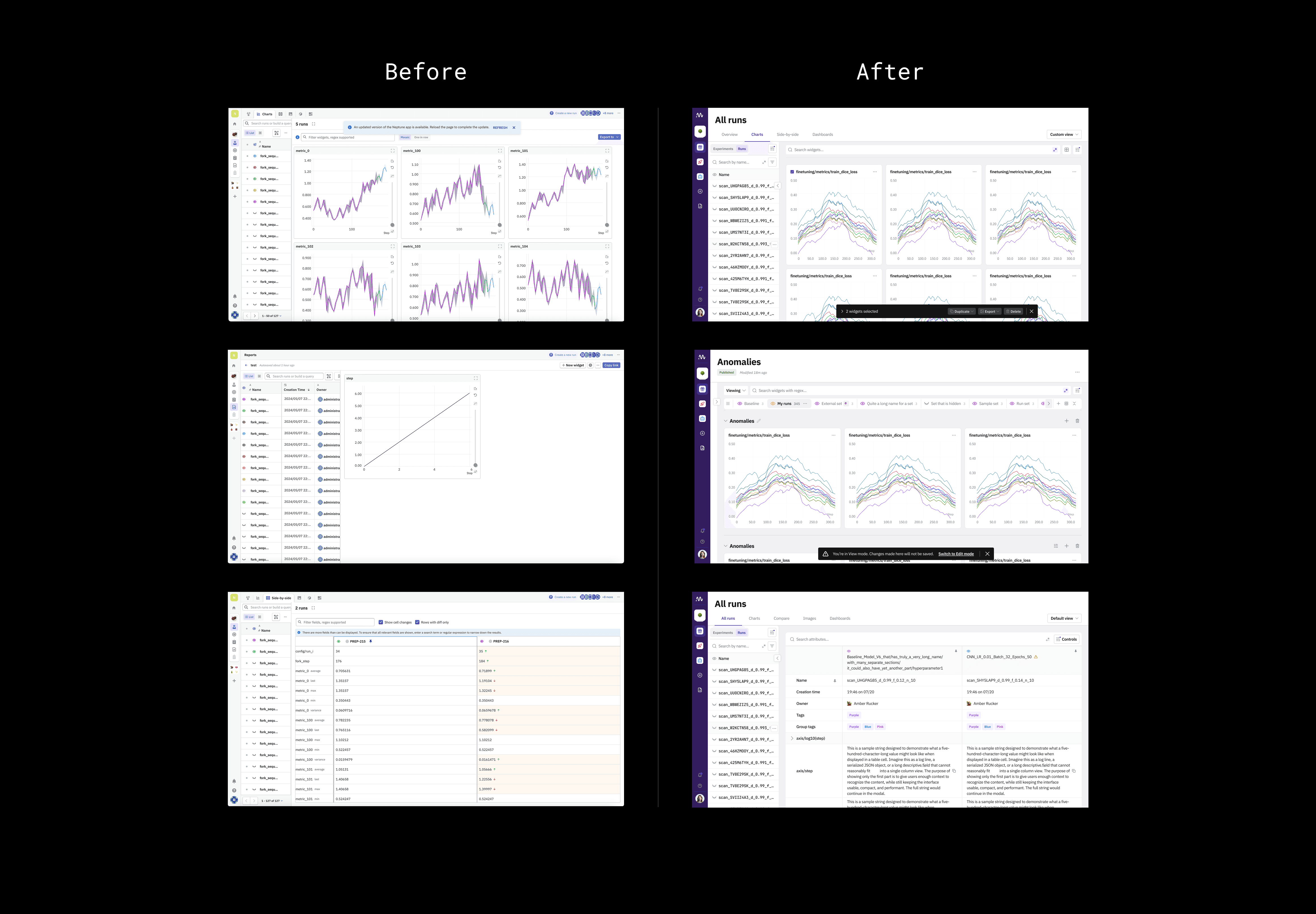
A modernized UI across the entire experiment tracking experience
A new design system with documented components
Redesigned Reports, Dashboards, Charts, and Run Details
UX improvements validated with OpenAI key users
Scalable patterns for long-text handling and data grouping
Faster team workflows through reusable templates
Example deep dive: Long metric names
Problem:
Users struggled to read, compare, and scan very long metric names (e.g., train/v1/phase/model_loss/step_early).
The structure was highly repetitive, differences were subtle, and readability broke down in charts, dropdowns, and reports.
Constraints:
I had no access to real metric names due to privacy policies.
Naming conventions varied widely between customers and even across teams.
Solutions needed to work for OpenAI, Poolside, and future enterprise clients.
Some customers preferred UI configuration; others preferred code-based control.
Approach: Designing a Flexible Solution for Unpredictable Data
I explored several directions, all focused on making metrics easier to read at scale.
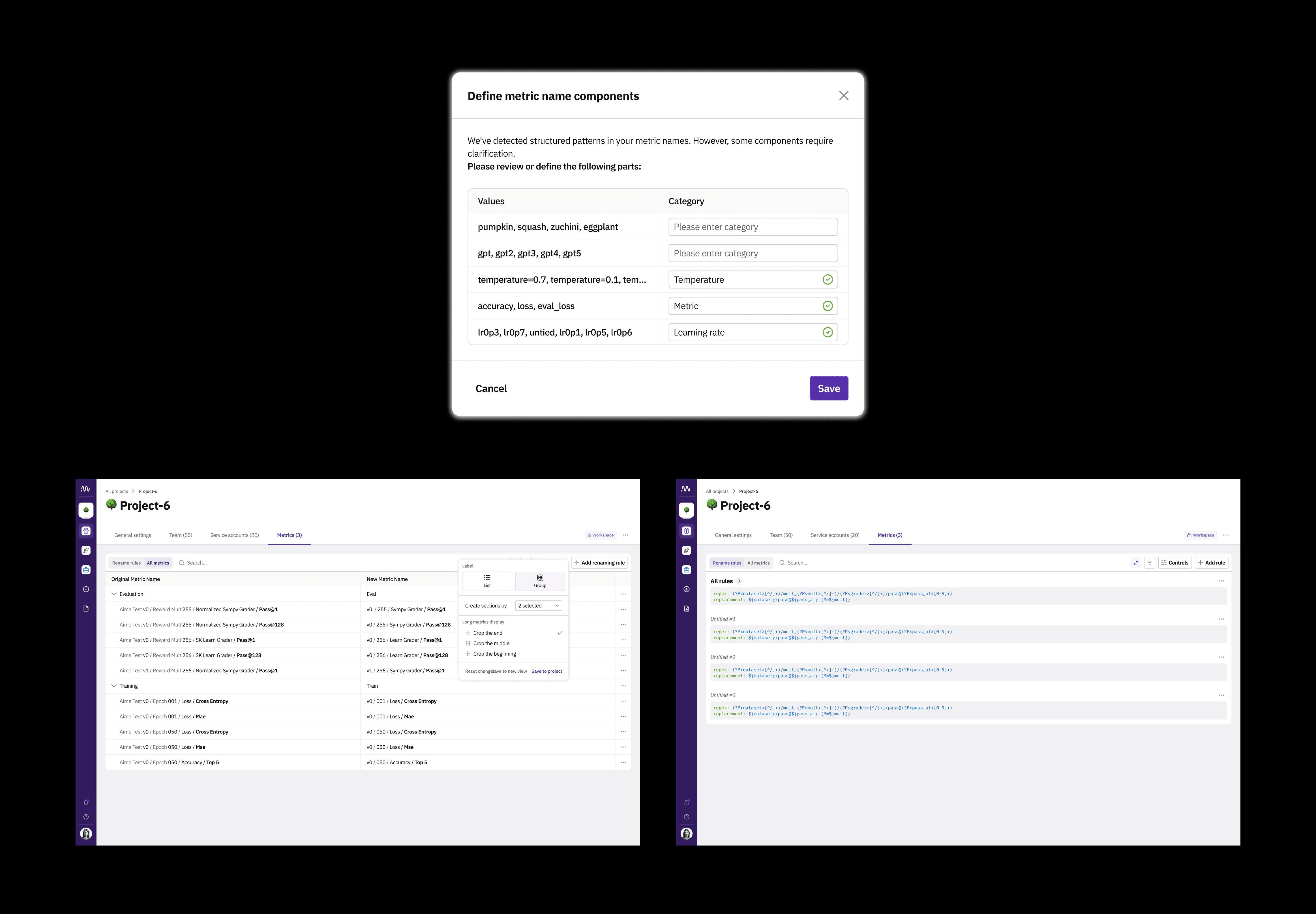
Concept exploration: Metric manager (NOT built)
I explored a project-level management tool enabling users to:
group similar metrics
rename metrics in bulk (e.g., regex)
define how names should be shortened (start/middle/end)
hide noise in naming patterns
Why it wasn’t built:
OpenAI users found project-level renaming too rigid for their workflow
They preferred adjustments closer to the reporting layer
Potential UI for renaming risked being slower than editing in code
Maintaining consistency across large teams would be difficult
Value:
Even though this solution wasn’t implemented, it clarified what different personas needed and informed the eventual direction.
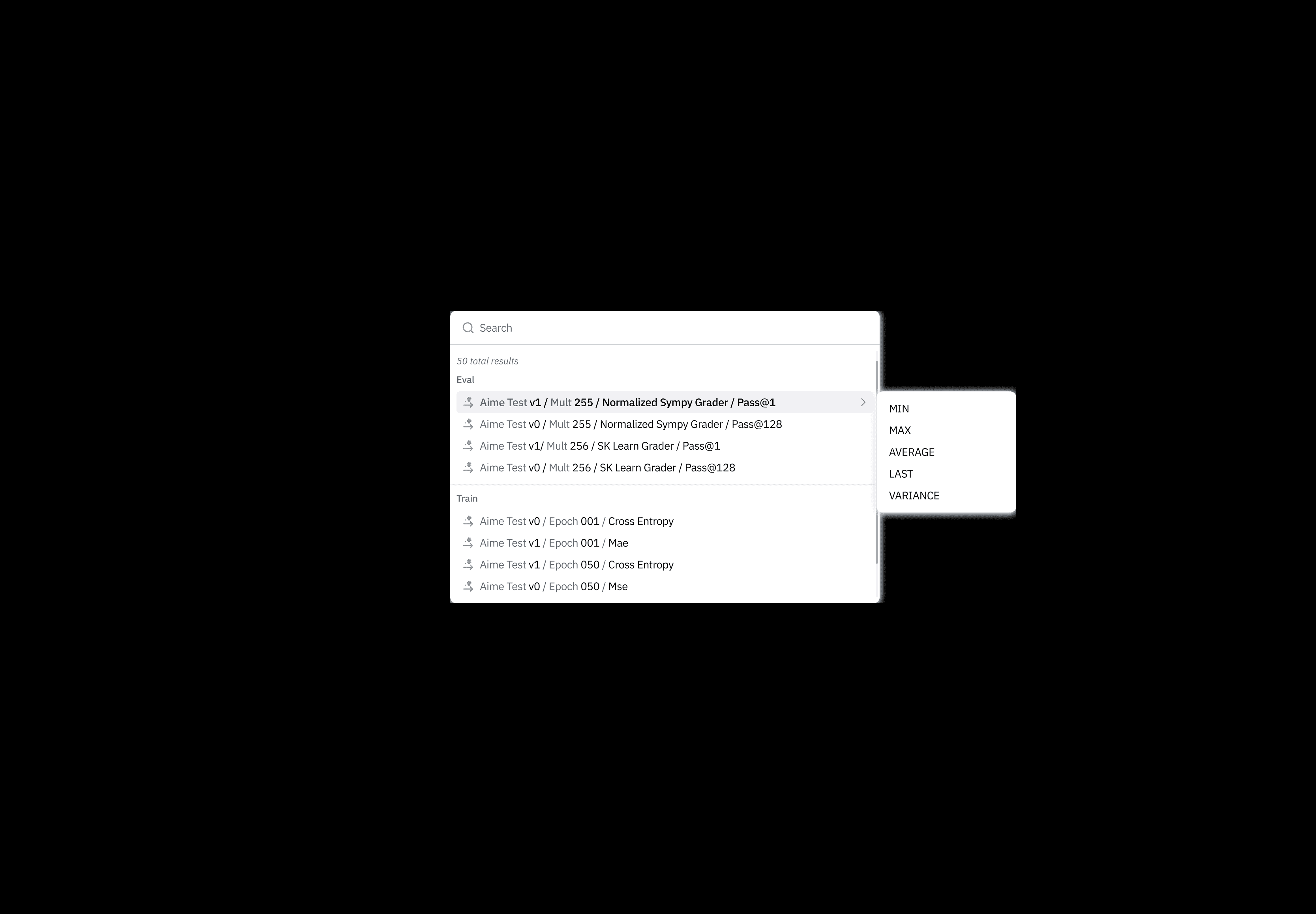
Practical, shippable solution: Smart aggregation logic (built)
Some customers had metrics that were static values, making aggregation options (AVG, VARIANCE, etc.) irrelevant.
I designed and shipped a lightweight rules-based system:
If the metric has one value → hide aggregation options
If it has multiple → surface the full list
Impact:
Reduced dropdown noise
Improved clarity in metric selection
Quick win requested by Poolside, validating responsiveness to user feedback
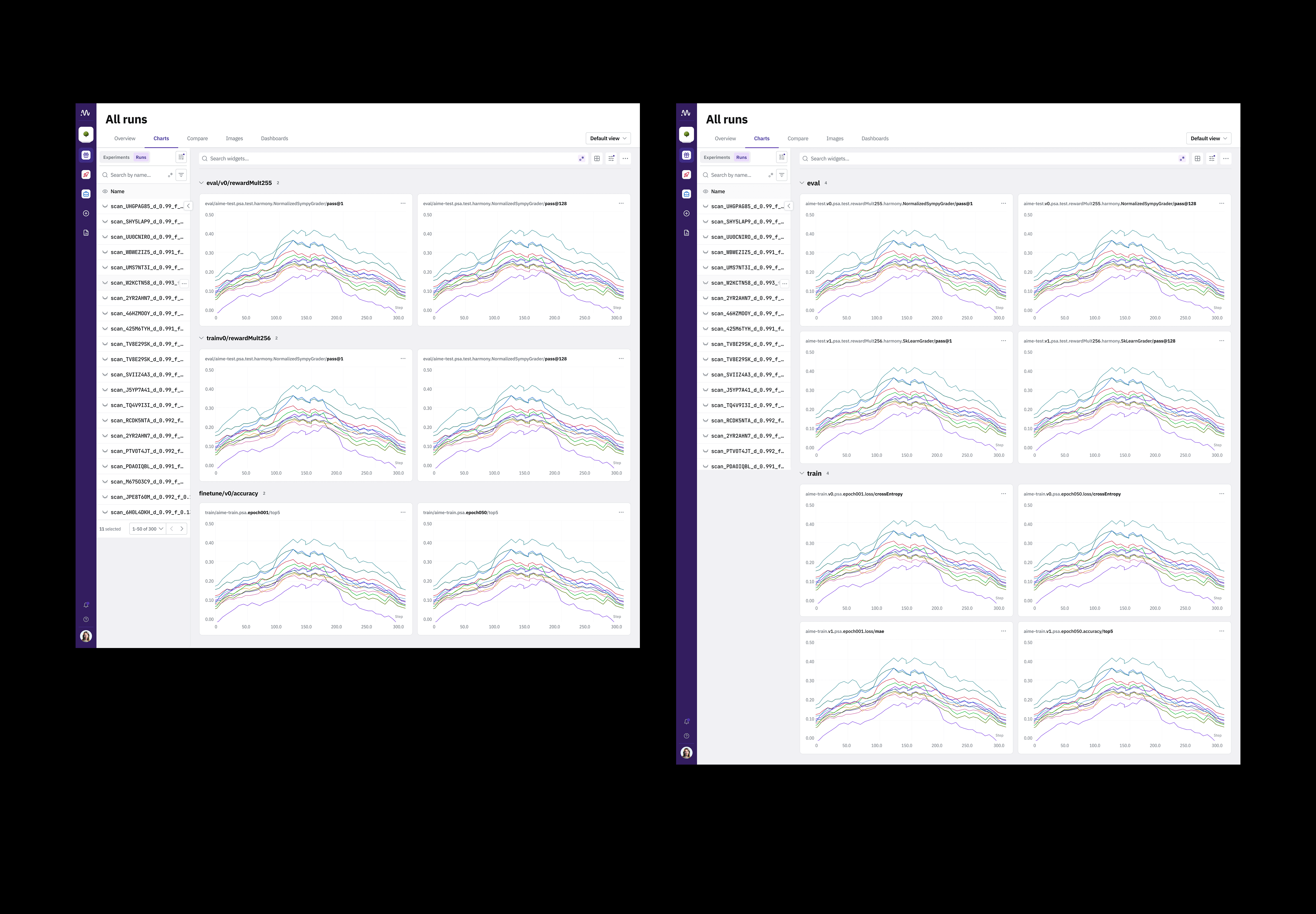
Dynamic section generation for reports (explored → partially used in other work)
Large reports became unreadable when they contained dozens of metrics.
I explored an automated system that:
detects shared prefixes
groups related metrics
collapses sections like train/v1, train/v2, eval
persists collapsed states across sessions or shared links
Feedback:
Poolside: “Extremely useful” for organizing complex experiments
OpenAI: This didn’t address their primary pain points, but the idea influenced broader grouping logic in reports
Although this wasn’t shipped as a standalone feature, parts of the solution informed improvements in the overall reporting experience.
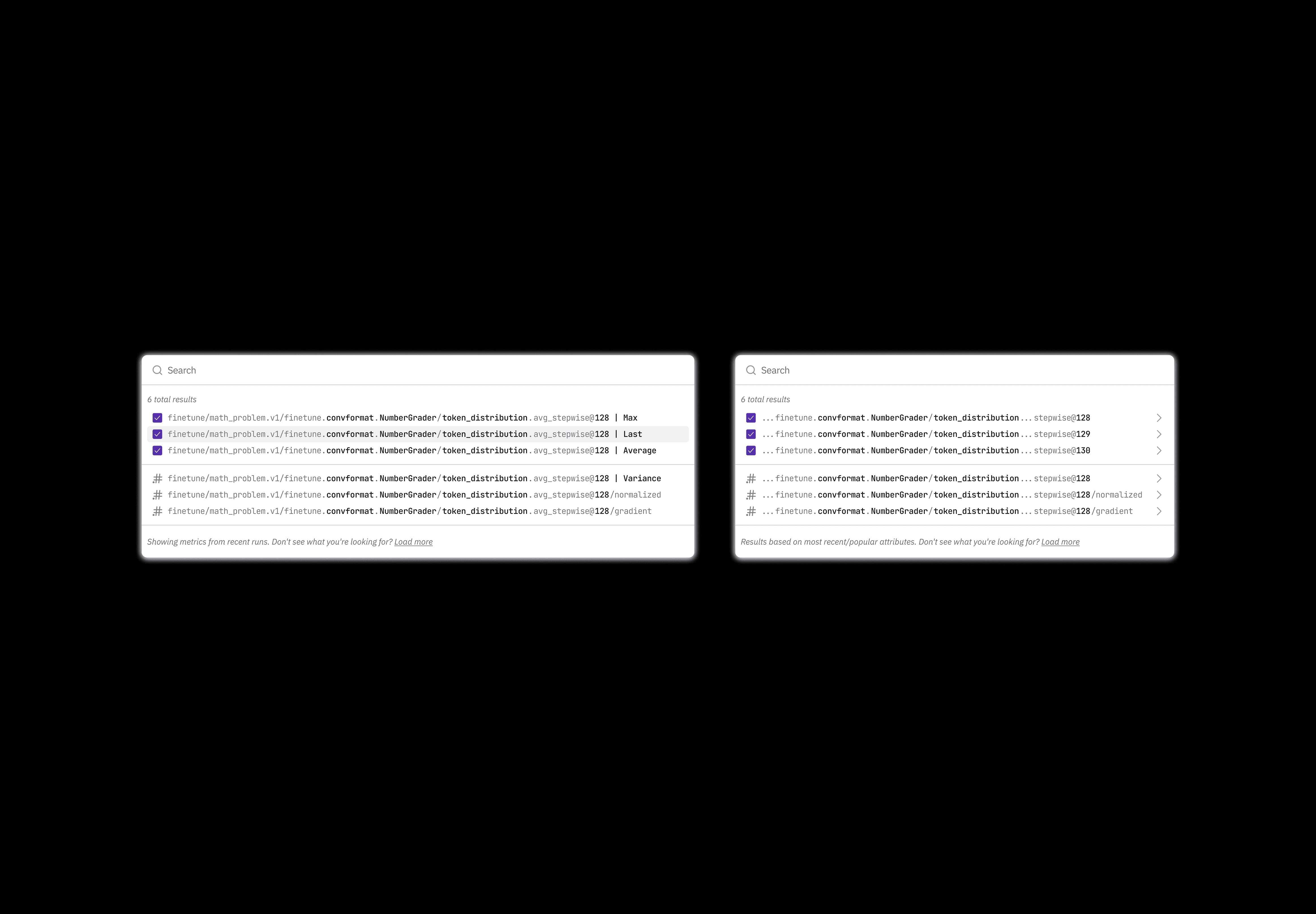
The implemented direction: Highlighting differences in metric names (built + launched)
The final shipped solution focused on the simplest, most universal problem to solve:
Users needed to instantly see what’s different between two long names.
What I designed:
Automatic detection of common prefixes
Collapsing identical sections with ellipses
Highlighting only the differing parts
A consistent, minimal visual pattern that also works in:
charts
dropdowns
tooltips
tables
report widgets
Validation with strategic users:
OpenAI: Very positive — made comparison dramatically faster
Poolside: “Finally readable”
Internal teams adopted this pattern for long experiment and run names too
Impact
Outcome:
Clearer, denser, more readable charts
Reduced visual clutter across multiple product areas
No regressions in export, responsive layouts, or linked states
Impact Summary
Improved scanning and comparison speed in core workflows
Reduced cognitive load for researchers analyzing dozens of metrics
A reusable pattern for long-text UI across the product
Positive sentiment from OpenAI and other enterprise customers
This project showed that even small usability improvements can meaningfully improve productivity in highly technical, high-cognitive-load environments.
Overall impact & Outcomes
Business Impact
OpenAI signed a one-year contract with Neptune
Their largest teams fully migrated to Neptune
For the first time, users stayed in Neptune for reports, instead of switching to Weights & Biases
Product quality improved to the point where Neptune positioned ahead of competitors in UX/UI
User Impact
Major reduction in visual clutter
Faster metric comparison and interpretation
Clearer reporting and collaboration workflows
More consistent and reliable UI across the product
Team & Process Impact
Engineering adopted design system components for consistent execution
Design gained influence and clearer problem ownership
Faster design-to-development velocity
Reflections
This project taught me that:
Good design can win enterprise-level deals — even in highly technical products.
Systems thinking scales better than one-off features.
Talking to real users — even a handful — dramatically increases clarity and confidence.
Design leadership is often about framing the problem correctly in engineering-driven environments.
The biggest win: shifting Neptune from “we just need someone to make screens” → to design as a strategic partnerthat shaped the product’s future and helped land its biggest customer.